이번 블로그에서는 보안 그룹(Security Group)에 존재하는 승인되지 않은 인바운드(Inbound) 규칙을 자동으로 탐지하고 제거하는 아래의 거버넌스 아키텍처를 구현해 보겠습니다. 이를 통해 클라우드 환경에서 보안 정책을 지속적으로 준수하고, 잘못된 보안 그룹 설정으로 인한 위험을 최소화하는 방법을 살펴보겠습니다.
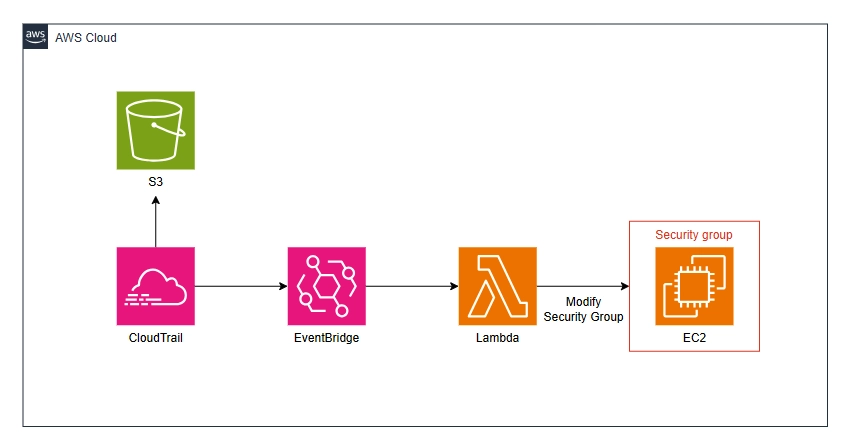
구축 방안
먼저 CloudTrail의 로그를 기록하기 위한 S3를 아래의 명령어를 이용해 생성해줍니다.
aws s3 mb s3://wsk-cloudtrail-bucket
다음으로 S3에 사용될 정책을 아래의 명령어를 이용해 생성 및 부여해줍니다.
cat << EOF > policy.json
{
  "Version": "2012-10-17",
  "Statement": [
    {
      "Sid": "AWSCloudTrailAclCheck",
      "Effect": "Allow",
      "Principal": {
        "Service": "cloudtrail.amazonaws.com"
      },
      "Action": "s3:GetBucketAcl",
      "Resource": "arn:aws:s3:::wsk-cloudtrail-bucket"
    },
    {
      "Sid": "AWSCloudTrailWrite",
      "Effect": "Allow",
      "Principal": {
        "Service": "cloudtrail.amazonaws.com"
      },
      "Action": "s3:PutObject",
      "Resource": "arn:aws:s3:::wsk-cloudtrail-bucket/AWSLogs/362708816803/*",
      "Condition": {
        "StringEquals": {
          "s3:x-amz-acl": "bucket-owner-full-control"
        }
      }
    }
  ]
}
EOF
aws s3api put-bucket-policy --bucket wsk-cloudtrail-bucket --policy file://policy.json
다음으로 아래 명령어를 사용하여 보안 그룹(Security Group)의 승인되지 않은 인바운드(Inbound) 규칙 변경 내역을 기록하기 위한 CloudTrail을 생성합니다.
aws cloudtrail create-trail --name wsk-cloudtrail --s3-bucket-name wsk-cloudtrail-bucketaws cloudtrail start-logging --name wsk-cloudtrail
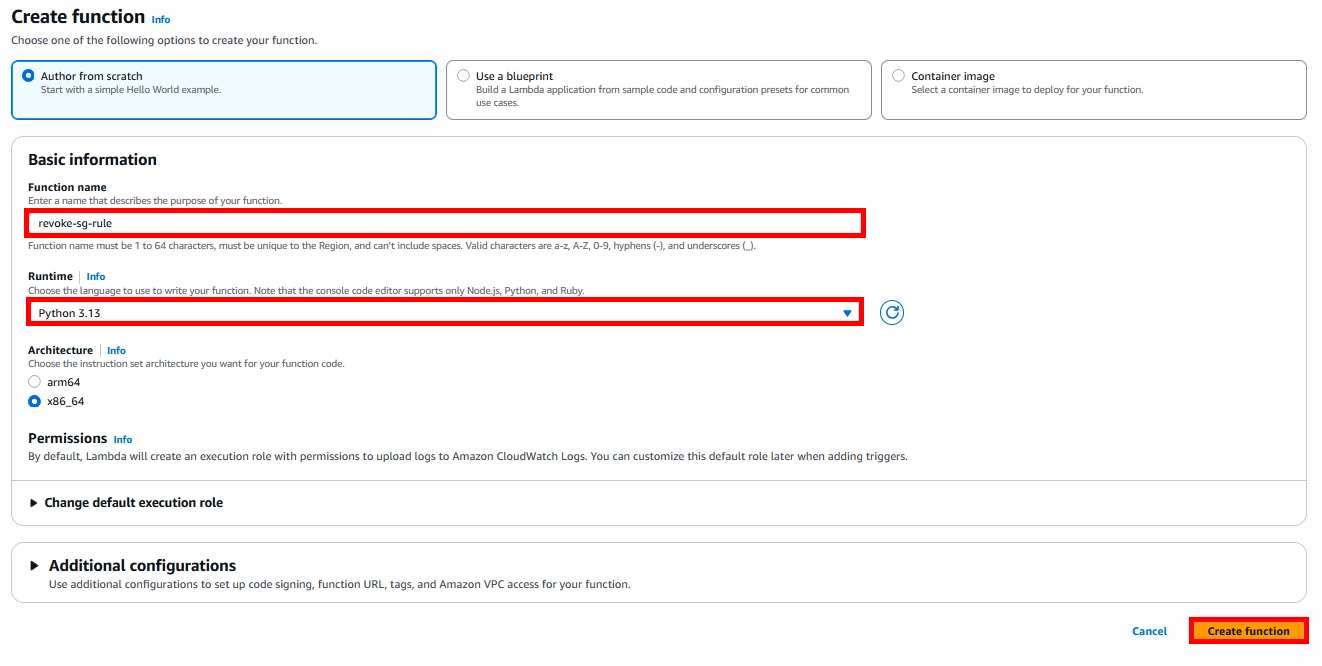
다음으로 보안그룹의 규칙을 편집할 용도로 사용될 Lambda Function을 생성해줍니다.
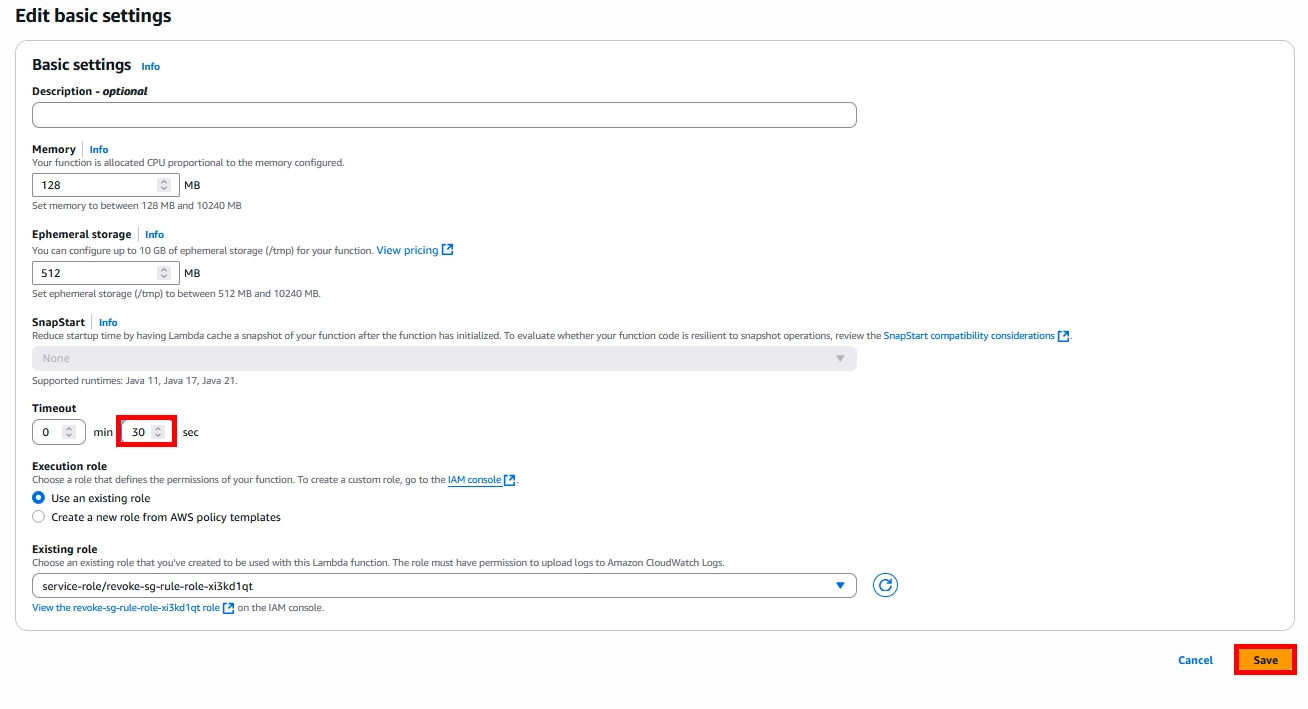
Timeout 시간은 기본세팅에서 30초로 넉넉하게 잡아줍니다.
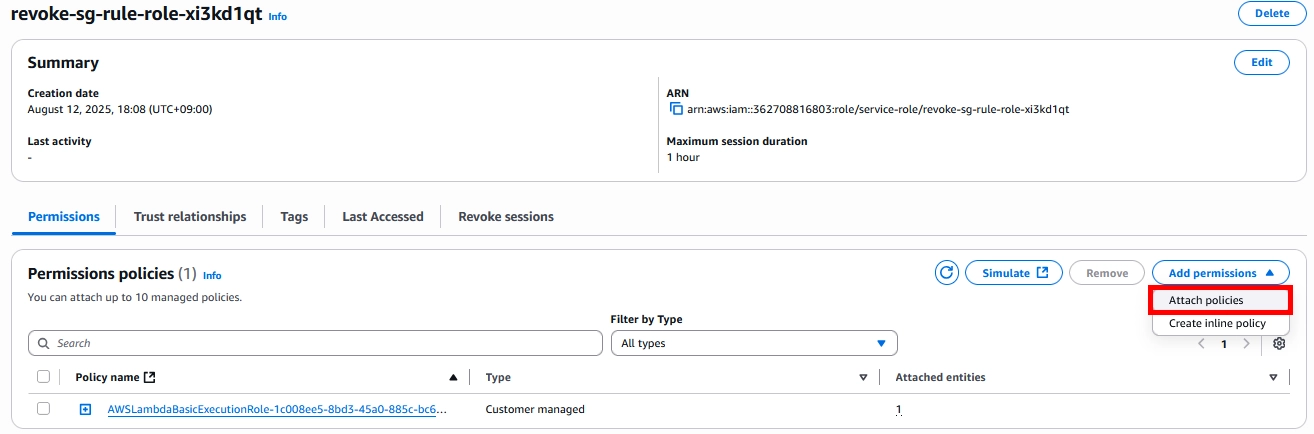
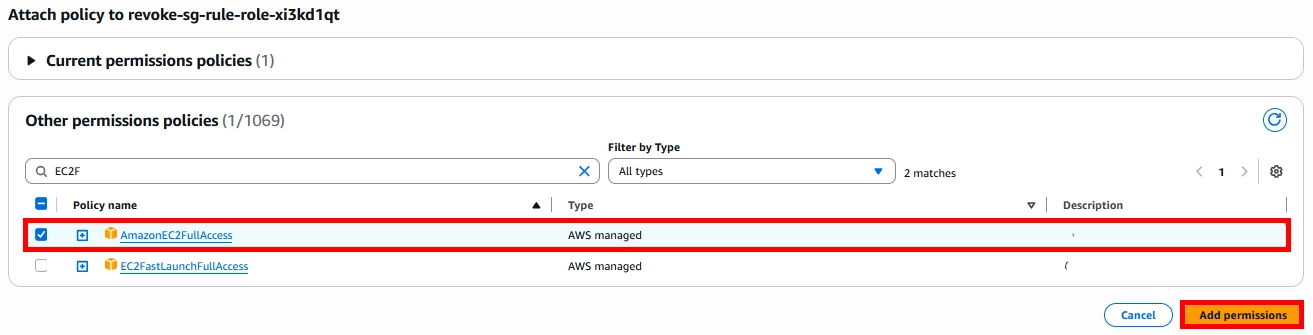
다음으로 Lambda Function이 생성될 때 함께 생성된 Lambda Role에 EC2FullAccess 권한을 부여해줍니다.
다음으로 아래와 같이 Lambda Function의 아래의 코드를 작성한 후 저장해줍니다.
import os
import json
import boto3


# ===============================================================================
def lambda_handler(event, context):

    print(event)

    if "detail" not in event or (
        "detail" in event and "eventName" not in event["detail"]
    ):
        return {"Result": "Failure", "Message": "Lambda not triggered by an event"}

    if (
        event["detail"]["eventName"] == "AuthorizeSecurityGroupIngress"
        and event["detail"]["requestParameters"]["groupId"]
        == os.environ["SECURITY_GROUP_ID"]
    ):
        result = revoke_security_group_ingress(event["detail"])


# ===============================================================================
def revoke_security_group_ingress(event_detail):

    request_parameters = event_detail["requestParameters"]

    ip_permissions = normalize_paramter_names(
        request_parameters["ipPermissions"]["items"]
    )

    response = boto3.client("ec2").revoke_security_group_ingress(
        GroupId=request_parameters["groupId"], IpPermissions=ip_permissions
    )

    result = {}
    result["group_id"] = request_parameters["groupId"]
    result["user_name"] = event_detail["userIdentity"]["arn"]
    result["ip_permissions"] = ip_permissions

    return result


# ===============================================================================
def normalize_paramter_names(ip_items):

    new_ip_items = []

    for ip_item in ip_items:

        new_ip_item = {
            "IpProtocol": ip_item["ipProtocol"],
            "FromPort": ip_item["fromPort"],
            "ToPort": ip_item["toPort"],
        }

        if "ipv6Ranges" in ip_item and ip_item["ipv6Ranges"]:
            ipv_range_list_name = "ipv6Ranges"
            ipv_address_value = "cidrIpv6"
            ipv_range_list_name_capitalized = "Ipv6Ranges"
            ipv_address_value_capitalized = "CidrIpv6"
        else:
            ipv_range_list_name = "ipRanges"
            ipv_address_value = "cidrIp"
            ipv_range_list_name_capitalized = "IpRanges"
            ipv_address_value_capitalized = "CidrIp"

        ip_ranges = []

        for item in ip_item[ipv_range_list_name]["items"]:
            ip_ranges.append({ipv_address_value_capitalized: item[ipv_address_value]})

        new_ip_item[ipv_range_list_name_capitalized] = ip_ranges

        new_ip_items.append(new_ip_item)

    return new_ip_items
다음으로 아래의 사진과 같이 Lambda Function의 환경변수(보안그룹 ID) 를 지정해줍니다.
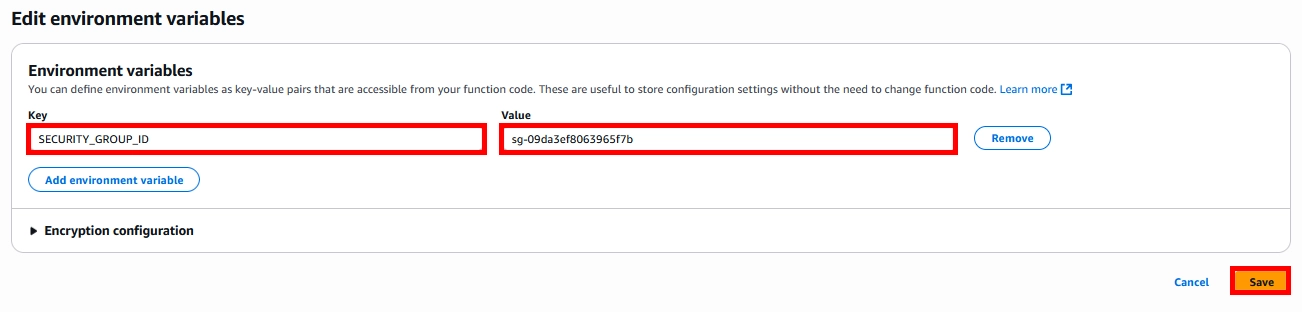
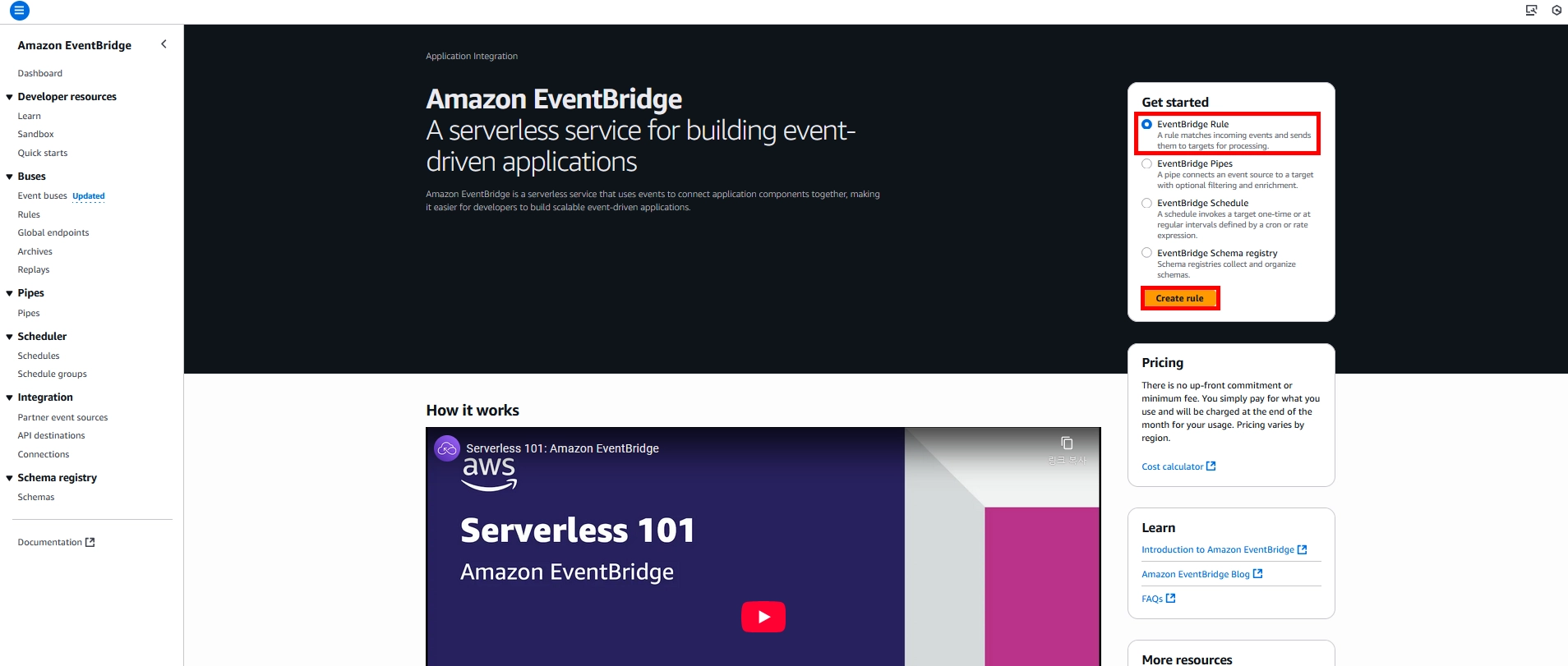
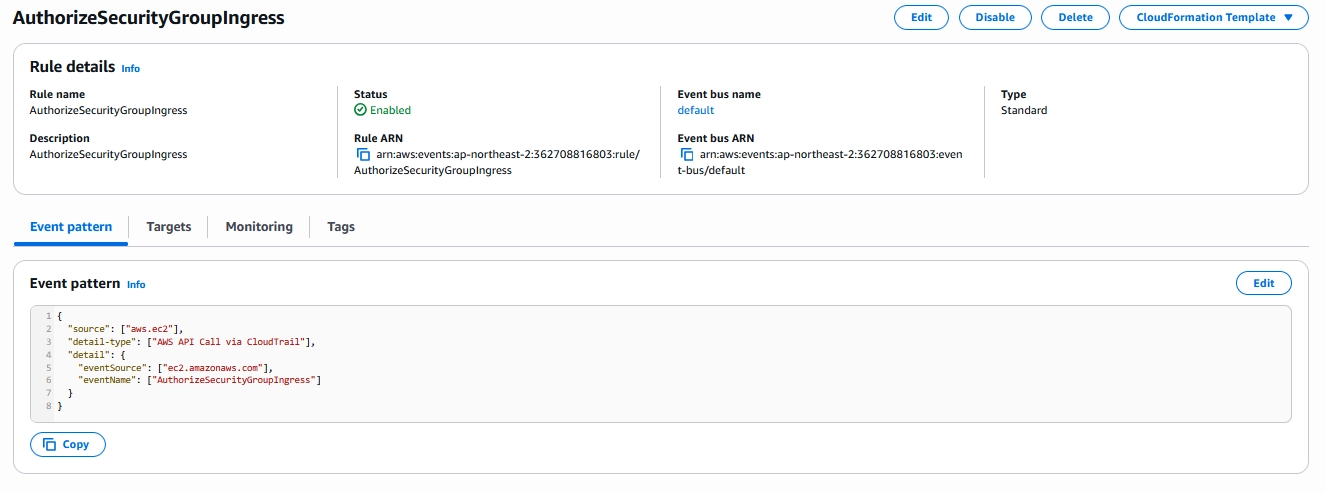
다음으로 Event Bridge 생성 페이지로 이동해 Rule을 생성해줍니다.
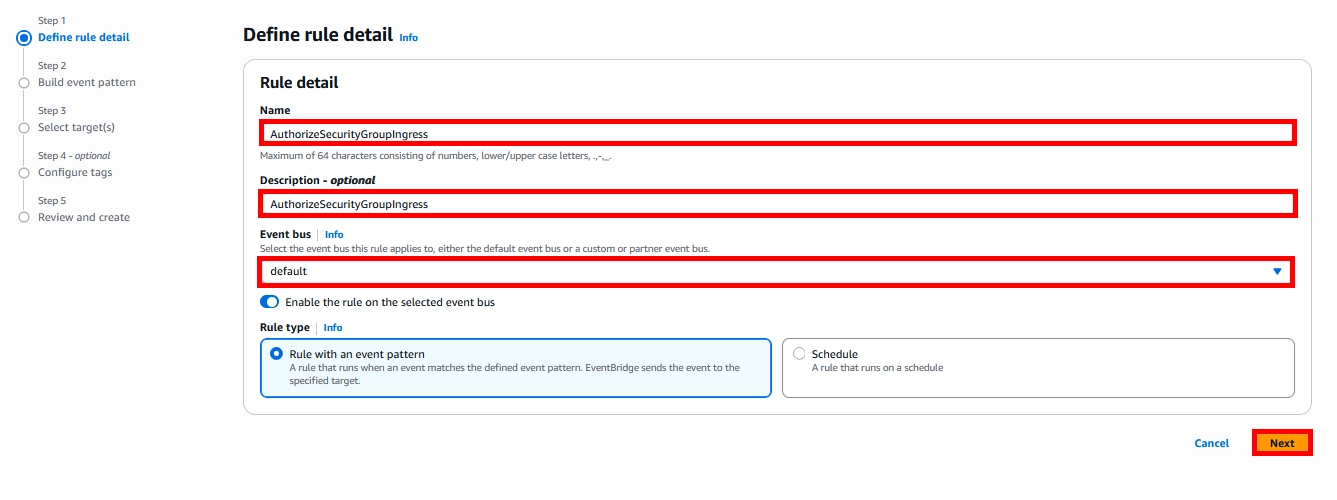
아래의 사진과 같이 Name은 알아보기 쉽도록 지정해주면 됩니다.
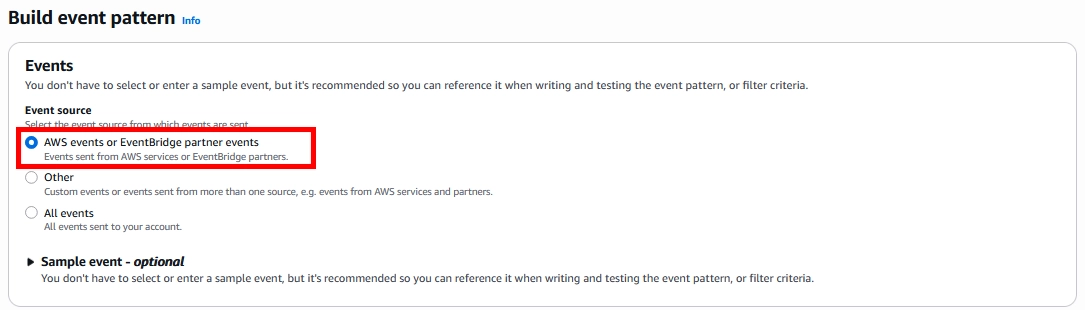
Build Event Pattern은 AWS events or EventBridge partner events를 선택해줍니다.
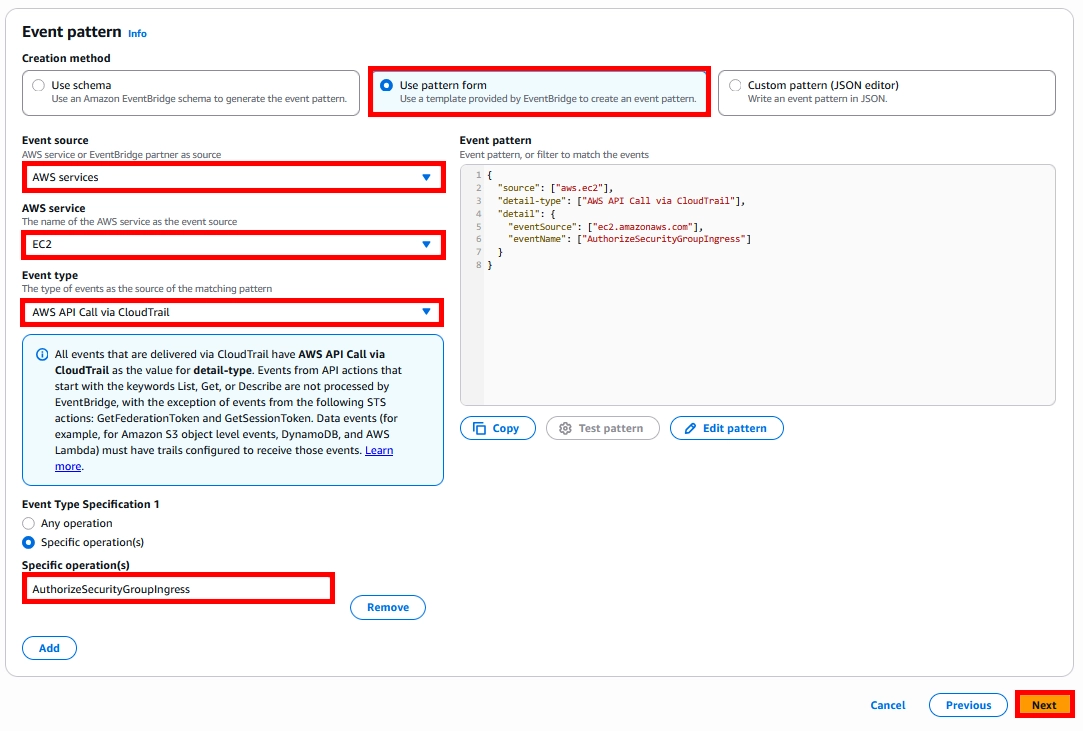
Event Pattern은 아래와 같이 AWS Services를 Event Source로 사용해 AuthorizeSecurityGroupIngress를 작성해줍니다.
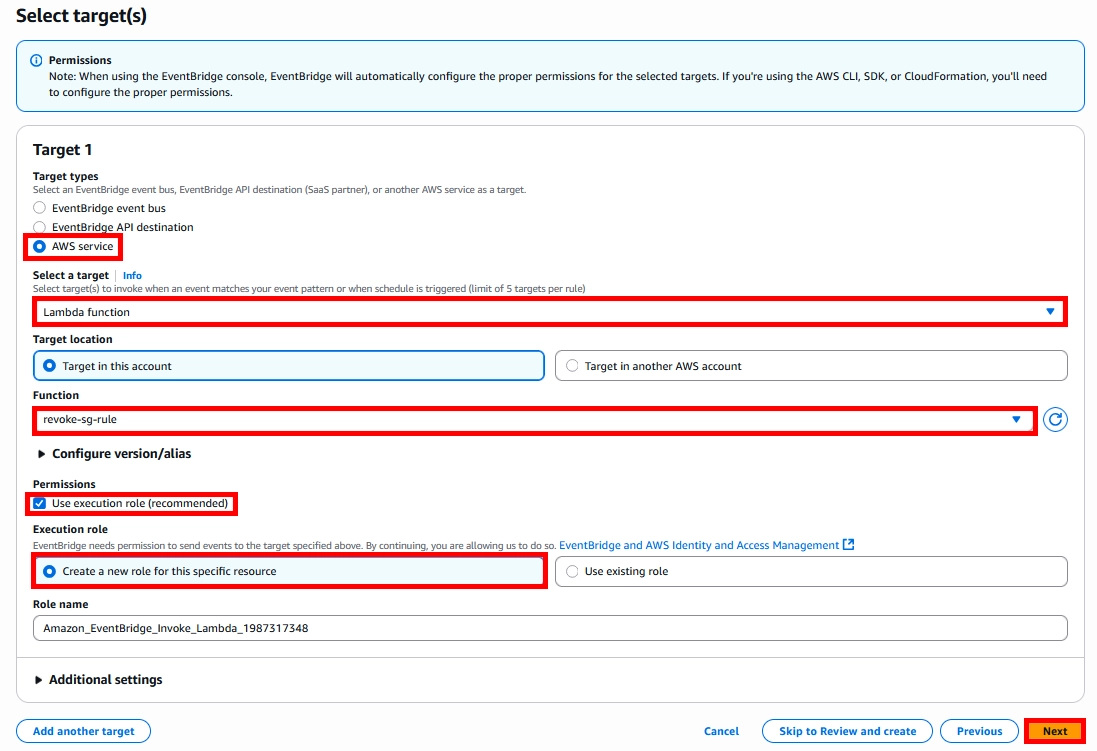
Target은 이전에 생성해뒀던 Lambda Function을 선택해줍니다.
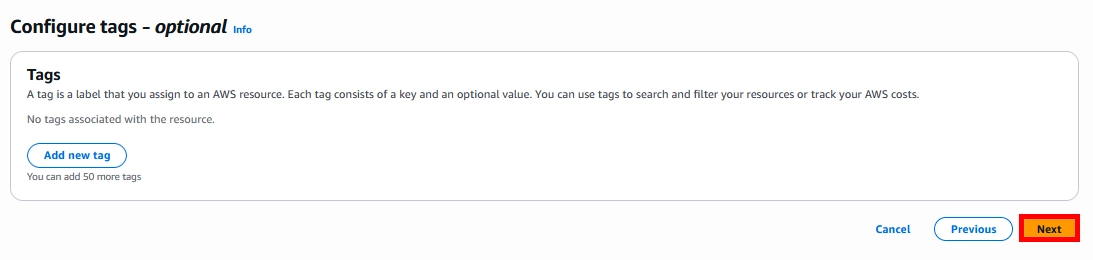
나머지 설정은 전부 Next를 누른 뒤 Rule을 생성해줍니다.
Result
보안그룹에 임의로 80번 포트 규칙 추가를 해보겠습니다.
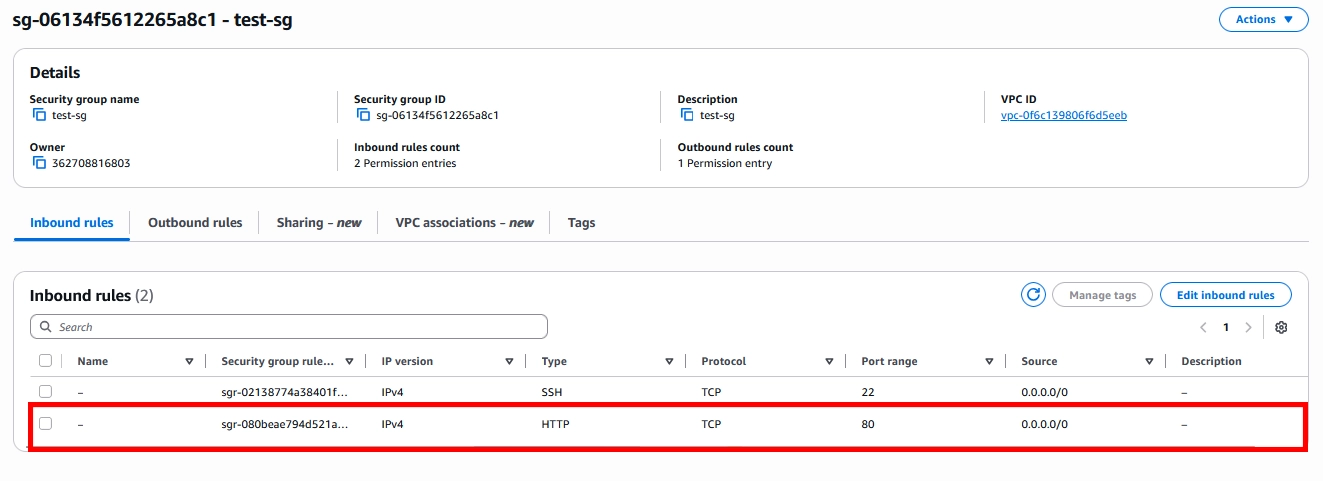
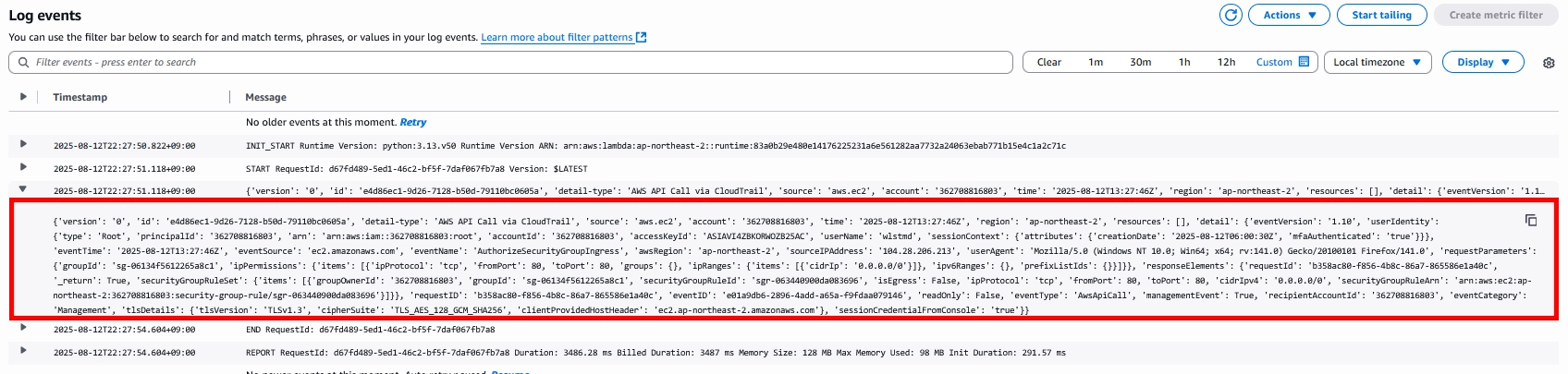
추가하게 되면 아래의 사진과 같이 보안그룹 변경 로그가 남게됩니다.
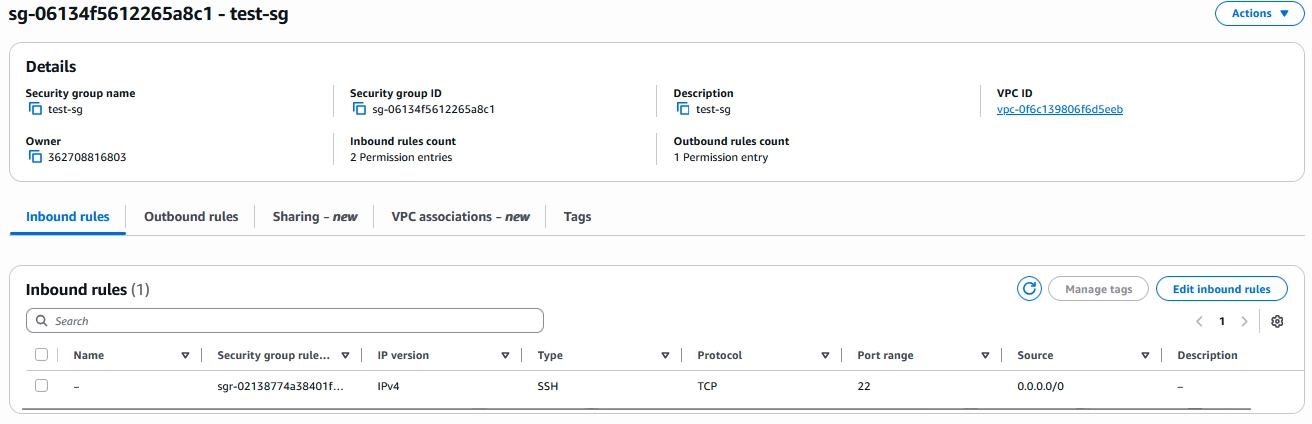
그 후 몇 분 정도 기다리게 되면 아래의 사진과 같이 80번 포트가 제거된 모습을 볼 수 있습니다.
이것으로 보안 그룹(Security Group)에 존재하는 승인되지 않은 인바운드(Inbound) 규칙을 자동으로 탐지하고 제거하는 거버넌스 아키텍처를 구성하는 글을 마치겠습니다. 감사합니다!
'Cloud > AWS' 카테고리의 다른 글
| AWS EC2 비밀번호로 접속하기 (0) | 2026.02.15 |
|---|---|
| RDS IAM Authentication (0) | 2026.02.15 |
| RDS Healthcheck Disaster Recovery (5) | 2026.02.11 |
| AWS EC2 Fail2ban (0) | 2026.02.11 |
| Route53 DNSSEC (0) | 2026.01.05 |